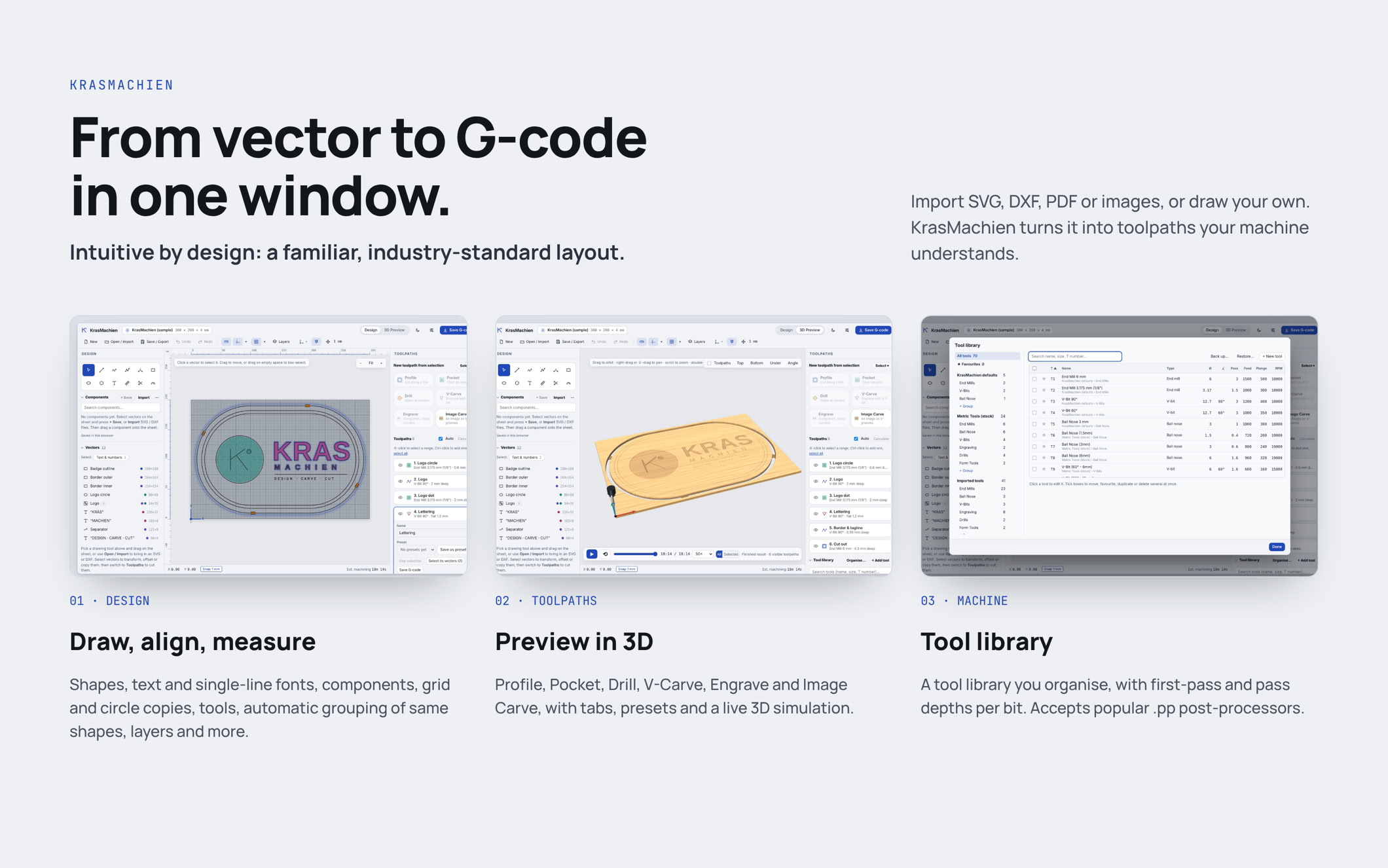
Design, carve, cut. All in your browser.
Intuitive by design: a familiar, industry-standard layout, so you spend your time making, not searching.
KrasMachien is a complete CNC design and CAM program that runs in your web browser. Nothing to install, no account.
Draw or import your design, set up the toolpaths and save G-code for your machine, all in one window.
DESIGN
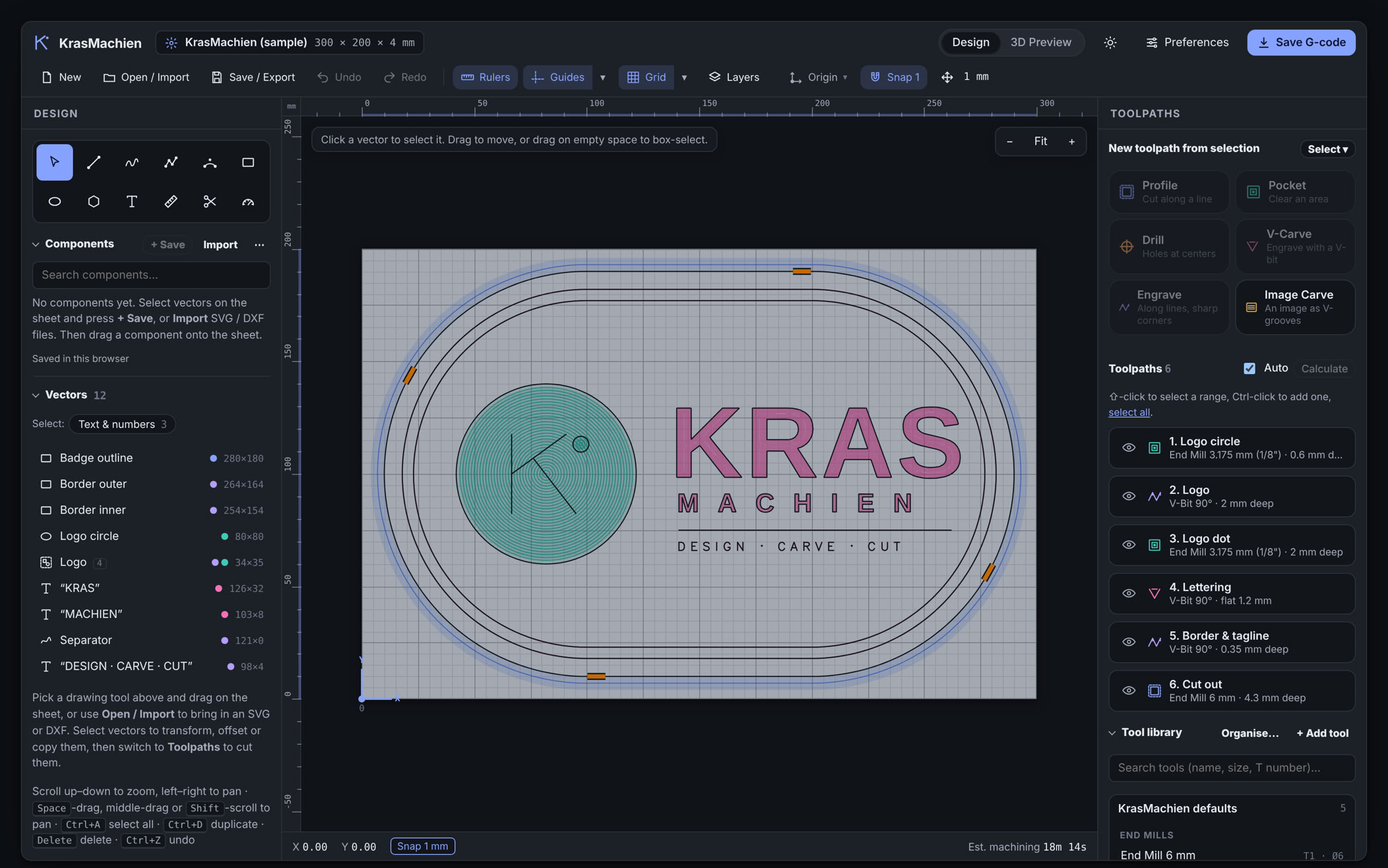
- Drawing tools: lines, freehand, polylines, arcs, rectangles, ellipses, polygons and text
- Outline fonts and single-line engraving fonts, plus your own imported fonts
- Import SVG, DXF, PDF and images
- "Clean up lines" repairs messy DXF files from other programs
- Text in imported outlines can be turned back into editable text
- Components: save parts of a design and drag them into any job
- Grid copy and circle copy, offset, align, center one object on another, mirror and rotate
- Select similar finds every shape with the same form and size in one click.
- Grouping, smart grouping, layers, guides, rulers and snap to grid.
- Lock in place, and "dummy only" for reference shapes that are never cut.
- A measuring tool and a cutter
- 80 steps of undo
JOB SETUP
Material presets: wood, dark wood, black, aluminium and anodized aluminium.
- XY origin at any of nine positions, or set it anywhere with a double-click.
- Save job setups as templates and reuse them
- A warning when the material is larger than your machine.
TOOLPATHS
- Profile, Pocket, Drill (with peck drilling), Carve, Engrave and Image Carve (photo to V-grooves)
- Tool presets: save a toolpath's tool and settings .
- First-pass depth per bit, smart tabs: the number of tabs follows each part's length and updates automatically when y ou resize it
- 3D ramped tabs, and tabs you can move or delete straight in the design
- Merge toolpaths, and warnings before you cut too deep.
- An accurate machining-time estimate.
3D PREVIEW
- A full cutting simulation you can play, pause and scrub through
- Realistic materials, from wood grain to engraving through an anodized coat
- Cut-through areas shown on the underside of the material
- A live readout of toolpaths, tool, feed, plunge rate, spindle speed and position
TOOL LIBRARY
- Organise your bits in libraries, groups and favourites, each with its own tool number
- Feeds, speeds, pass depth and first-pass depth per bit
OUTPUT
- G-code for USBCNC and GRBL, or import your machine's .pp post-processor
- Save G-code straight into a folder of your choice
- Export drawings as DXF, PDF or SVG
MORE
- Light and dark mode
- Works on desktop, tablet and phone
- Backup and restore for all your settings, tools and components
DEMO AVAILABLE